

Learn How to Get Real-Time Price Alerts with PriceGPT in 2026
How to Get Real Time Price Alerts with PriceGPT, It is simple and designed for everyday shoppers who want to save money without constant checking. To start, open PriceGPT and search for the product or category you are tracking. Set your preferred price range or discount threshold, and enable alerts.
Once activated, PriceGPT monitors prices across stores and notifies you instantly when a price drops. How to Get Real-Time Price Alerts with PriceGPT also includes alerts for limited-time deals and sudden discounts. This means you never miss savings opportunities.
If you are wondering How to Get Real-Time Price Alerts with PriceGPT, the key is setting alerts once and letting the tool do the work for you.
Have you ever seen a price change online just before you buy? One moment it seems reasonable, and a few hours later, it spikes for no reason. This sudden change can catch students off guard and make shopping feel unpredictable.
Flash sales add to this problem. A deal appears and is gone in a few seconds before most people can even become aware of it. It is frustrating to miss out on such discounts, especially when the savings have to be taken within a few seconds.
That is where PriceGPT steps in. Its real-time alert system gives students a simple way to know the best time to buy, making everyday shopping feel smarter and far less stressful. In this post, you will get to know how PriceGPT makes that process easier and far more reliable.
What Are Real-Time Price Alerts?
Price alerts are sent in real time when a product’s price drops. They monitor selected products in the background and send notifications through email or message.
AI-driven alerts work faster and with better accuracy because they scan live prices across multiple stores. This helps students know the best time to buy without checking the product over and over, making shopping easier and more cost-effective.
How PriceGPT Delivers Real-Time Alerts
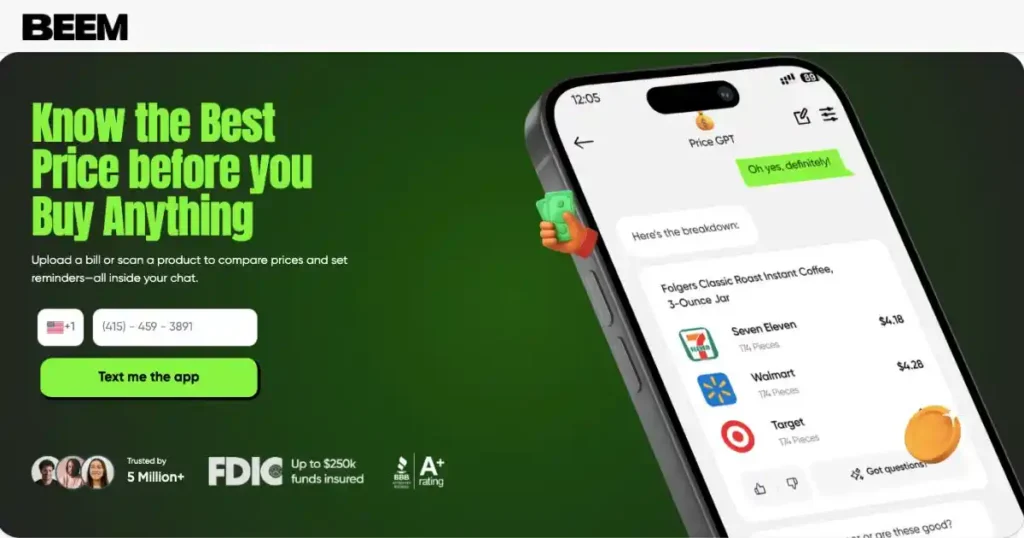
PriceGPT makes price tracking simple by handling the hard work in the background. Each step is designed to help students set up alerts quickly and receive accurate updates without any extra effort. Here’s how PriceGPT delivers real-time alerts:
Step 1 – Add or Upload Product Information
To start tracking, users can paste a product link or upload product details. PriceGPT’s AI reads the details, identifies the exact product, and begins tracking its price changes across multiple stores.
The system recognizes the brand, model, size, and other key information to avoid errors. That helps the system track precise price changes without mixing similar products.
Step 2 – Activate Price Tracking
After adding the item, users can set their alert preferences. PriceGPT allows different alert types. Some want a simple “tell me when the price drops.” Others want something more specific, like “alert me when it drops by ten percent” or “notify me when it reaches the lowest price this month.”
There are also restock alerts for items that sell out often. Once activated, PriceGPT begins tracking the product continuously. The user does not need to refresh a page or check anything manually.
Step 3 – Receive Instant Notifications
When the price changes, PriceGPT sends an instant notification through the Beem app or email. The AI confirms the update in real time, making sure alerts only trigger when there is a genuine price drop. This keeps the process accurate, fast, and useful for everyday savings.
How PriceGPT’s AI Keeps Alerts Accurate
PriceGPT uses AI that monitors prices and sends alerts when they change. It operates independently to maintain updates that are recent, precise, and customized to the requirements of each user.
Here’s how PriceGPT AI keeps alerts accurate:
Live Data Monitoring
PriceGPT checks verified retailer sites continuously. It scans each product listing, updates the data, and confirms any price adjustments. That constant monitoring helps catch short-lived discounts that might last only minutes.
Some stores also hide smaller deals behind click-through pages. PriceGPT scans those sections directly and tracks the updated price. It does not rely on estimated values or outdated listings.
Smart Trend Analysis
PriceGPT studies the typical pricing cycle of a product. Many items follow a pattern. For example, a laptop might drop slightly every two weeks, then plunge during a major sale. PriceGPT watches these patterns and predicts when the next drop may appear.
Trend analysis helps students avoid buying at the wrong moment. Instead of reacting too quickly, the system guides them toward steadier timing.
Personalized Alert Optimization
The AI learns from search behavior and historical purchases, and watchlist of the user. It uses that information to improve alerts. Instead of sending random notifications, it sends the ones that matter.
Students who track too many items are not flooded with alerts. PriceGPT filters unnecessary signals and sends alerts only when the savings have meaning.
Why Real-Time Alerts Beat Manual Checking
Many students know the struggle of watching a product’s price change and hoping to catch the right moment. Real-time alerts make this easier by doing the tracking automatically.
- There is no need to refresh multiple tabs or keep checking listings.
- AI tracks every price change in the background while students continue their day.
- Alerts are instantly visible, which provides a quick awareness of new savings opportunities.
Real-time alerts turn price watching into something effortless. Students get accurate updates at the right moment, without the stress of checking prices over and over.
Everyday Scenarios Where PriceGPT Alerts Help
PriceGPT shines the most in everyday situations where prices shift quickly. These alerts help students catch real discounts without constantly watching product pages or waiting for random sales. Here are some everyday scenarios:
Example 1: Electronics and Tech Sales
Students shopping for a new phone or laptop often see unpredictable pricing. A phone listed at $699 might drop to $629 for a short sale, then jump back up. PriceGPT sends the alert at the moment of that drop, showing the best time to buy before the sale ends.
Example 2: Groceries and Household Essentials
Prices of bulk items or weekly groceries change regularly. Today, a 20-pack of bottled water might cost you $6.49, but tomorrow it will fall to 4.99 in another store. PriceGPT catches those shifts and helps students buy essentials at the right moment.
Example 3: Seasonal Gifts and Apparel
During holidays, clothing and gift items drop in price unpredictably. A hoodie priced at $45 can fall to $29 for only a few hours. PriceGPT catches these temporary dips and alerts users before the sale ends.
How to Set Up Price Alerts in PriceGPT
Price alerts can be easily set up in PriceGPT, and they make shopping smarter and less stressful. It only takes a few simple steps.
- Log in to PriceGPT through the Beem app and open the main dashboard for easy access to all tracking tools.
- Go to the section of Price Tracking or My Alerts, and there you can add and manage items.
- Add items by uploading a screenshot, scanning an item receipt, or entering a direct link to any online retailer.
- Toggle notifications and select alert sensitivity, including price drops, restock, or lowest-price notifications.
- Watch everything being tracked on the dashboard with real-time updates and savings displayed in a minimalistic design.
Data Privacy and User Security
PriceGPT protects every upload through encrypted monitoring. Product photos, screenshots, and links remain secure inside the system. No personal or financial information is stored during the tracking process.
Users also maintain full control over their alerts. They can pause, amend, or remove any item on the watchlist. The whole system is designed to be transparent so that students are aware of the way their data is utilized.
Benefits of Using PriceGPT for Real-Time Alerts
Real-time alerts make shopping easier for students who want good deals without the stress of constant checking. PriceGPT turns this into a simple routine that quietly saves money in the background.
- PriceGPT ensures users that they will never miss the best price, as it will track the product throughout the day and will alert them as soon as a discount is offered in a trusted store on the internet.
- The system can track several products simultaneously, which enables students to track groceries, electronics, and essentials without switching between tabs or websites.
- The real-time notification saves money, time, and effort as there is no need to refresh a page or make guesses when a sale may begin or finish.
- PriceGPT will give smart suggestions on comparable or lower-priced alternatives when the original remains costly, and the student can easily compare them.
These benefits show how PriceGPT supports smarter shopping habits. With accurate alerts and simple tracking, students can enjoy real savings without extra work.
The Future of AI Price Tracking
Price tracking is becoming smarter each year. AI tools will soon predict price drops before they happen. This means alerts may arrive even earlier, based on patterns seen in past data.
PriceGPT is also expected to integrate with AI wallets. The idea is simple. Monitor spending patterns, know budgets, and propose the appropriate time to purchase larger products.
Smart forecasting will assist people in scheduling big purchases, be it a new college laptop or daily necessities.
People Also Asked About How to Get Real-Time Price Alerts with PriceGPT
How often does PriceGPT check for price changes?
PriceGPT scans prices throughout the day using live data from verified retailers. It updates automatically, so users receive alerts as soon as a real price drop or change appears on the product they are tracking.
Can I track products from multiple stores at once?
Yes. PriceGPT will compare the same product with multiple stores of the same type at a time. This assists users in viewing the best-priced retailer without manually searching and switching between websites.
How will I receive my price alerts?
Price alerts are delivered through the Beem app or by email, depending on user settings. Notifications arrive instantly once PriceGPT confirms a price change that matches the selected alert preference.
Are my preferences and uploads private?
Yes. PriceGPT encrypts all product uploads and uses the information only for tracking prices. No personal or financial data is stored, ensuring full privacy and secure processing for every user.
Can I customize alert settings or stop them anytime?
Absolutely. Users can adjust alert sensitivity, pause specific alerts, or turn them off completely. All settings can be updated quickly through the dashboard, giving full control over notifications.
Conclusion: Stay Ahead of Every Price Drop with PriceGPT
Online shopping is also easier with real-time price alerts, as students will be notified as soon as a product is reduced in price. Rather than looking up the same item multiple times, the AI will follow the price and report a definite update at the appropriate time.
Such monitoring is important as prices change very fast, and good offers may be found out before anybody realizes it. PriceGPT helps students stay ahead by catching real discounts early, making sure they never miss a price drop.
So, download Beem and try PriceGPT once to see your favorite items drop in price as you go shopping.