

Table of Contents
Keeping track of prices sounds simple—until you actually try to do it.
Prices change constantly across platforms, days, and even hours. What looks like a good deal today might drop tomorrow, and without tracking those changes, it’s easy to either overpay or spend too much time checking the same products repeatedly.
That’s where a price tracker becomes valuable.
Instead of manually revisiting websites or relying on memory, a price tracker helps you monitor changes over time and decide the best moment to buy. The good news? You don’t need expensive software or complex systems to build one.
With a few free tools, you can create a simple setup that works for your needs.
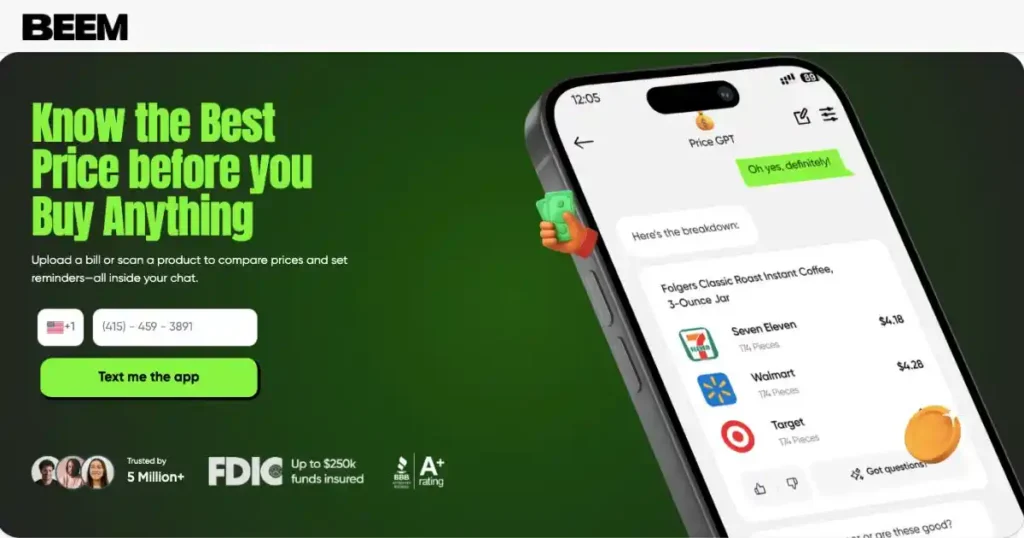
And if you want to skip the manual effort altogether, tools like PriceGPT from Beem can instantly compare prices across platforms and help you decide whether to buy now or wait. Combined with BudgetGPT for planning purchases, JobsGPT for increasing income, and DealsGPT for uncovering savings, Beem gives you a smarter, faster way to stay on top of pricing.
Why a Personal Price Tracker Beats Guesswork?
Prices are frequently seen as a single number, not a trend. This makes it difficult to know if a deal is right. Here’s why tracking is helpful.
One Screenshot Is Not a Pricing Strategy
Checking a price once would possibly appear enough, but it doesn’t show whether the price is growing, falling, or constant. Without this context, it is easy to misjudge price. Tracking a product over the years offers a clearer view, assisting in making a decision if the current price is really worth it or if you have to wait.
Better Buying Starts With Better Records
Even easy notes can alternate buying selections. Writing down prices, dates, and small changes turns random exams into a based method. Over time, this report builds a sample that guides decisions, assisting you to keep away from impulse buys and focus on the real price.
Read: How AI Helps You Simulate “What If” Scenarios Before Making Big Money Decisions
What a Price Tracker Should Actually Do?
A price tracker needs to be easy and effective. Its essential aim is to aid selections without including extra work. Here’s what it should do:
Track the Right Details, Not Everything
A good tracker captures key information like product name, vendor, date, modern charge, and goal charge. Too much information looks helpful, but it makes the device harder to manage.
Focus on Decision Support, Not Data Collection
The tracker’s purpose is to guide shopping for picks, not to create a super database. It has to assist in answering one query: Should you purchase now or wait? It needs a clear route, not just a bunch of numbers.
This may interest you: How AI Can Help You Decide Between Saving, Paying Debt, or Spending Today
Choose the Categories Worth Tracking First
Not every purchase needs tracking. Focus on items that change often or cost more for a useful process. Here’s where to start:
Best for Planned and Flexible Purchases
Electronics, home objects, subscriptions, tour bookings, and higher-value family purchases are good for tracking. These categories often show major price adjustments, so waiting and comparing can result in getting a better deal.
Not Every Cheap Item Needs Tracking
Low-cost or urgent purchases usually don’t need ongoing tracking. The effort may not match the savings. A useful tracker focuses on items where timing matters, avoiding extra work while capturing chances to save.
Free Tools You Can Use Without Building Anything Complex
A good price tracker doesn’t need advanced tools or skills; simple free tools can help you out. Here are some free tools that you can use:
Spreadsheets for Manual Tracking
Free spreadsheet tools offer flexibility for monitoring products, charges, dates, and notes in one area. They allow smooth updates and comparisons over time, making them great for consumers who like a structured approach.
Notes Apps for Lightweight Tracking
A basic notes app works well for simple tracking without extra setup. Listing products with dates and prices creates a quick record that’s easy to update, perfect for those who prefer a low-effort method.
Calendar and Reminder Tools for Timing
Reminders assist make sure that costs are checked at the right time, specifically at some stage in income or predicted drops. Adding timing to a tracker keeps you constant and makes it less difficult to behave in the right situations.
Browser Bookmarks and Saved Carts for Quick Access
Saving product pages or carts lets you revisit gadgets without looking again. Quick entry reduces effort and continues your tracking habit consistently, which is key for a reliable device.
Read: How PriceGPT Compares Everyday Prices So You Stop Overpaying Without Thinking About It
How to Set Up the Tracker Step by Step?
Setting up a price tracker should not be complicated or time-consuming. You can create a basic system in one sitting with a few clean steps. Here’s a way to start.
Start With a Short Product Watchlist
Start by selecting a small group of products that matter. You can put 5 to 10 gadgets in the watchlist and later update depending on need.
Add Today’s Price as the Starting Point
Recording the current price creates a clear starting point for comparison. This baseline helps you measure future changes and understand whether prices are moving favorably.
Add a Target Price You Would Actually Buy At
A tracker is more useful with a realistic price that feels really worth paying. This goal helps turn tracking into movement, guiding your decisions with a clear intention.
Set a Review Schedule
Checking charges on a consistent schedule, like weekly or around recognised sales, keeps the tracker lively. Regular updates create patterns, making it easier to apprehend the proper time to behave.
Also read: Stop Paying the “Lazy Tax”: How DealsGPT & PriceGPT Automate Savings
How to Structure the Tracker for Ongoing Use?
A tracker is most useful when it’s easy to read and replace. Too much information can make it hard to use it often. Here’s how you can structure the tracker:
Use Simple Columns or Labels
Basic fields like item name, keep, modern-day charge, preceding fee, goal rate, and final checked date commonly cover most needs. A clear layout reduces confusion and hastens updates.
Add Notes for Context, Not Clutter
Use short notes to explain why a fee matters, like seasonal developments or expected reductions. These are valuable, but they do not weigh down the tracker.
Highlight Items That Need Attention
Make products near the target price or showing big drops stand out. This allows you to concentrate on the important decisions rather than going through all the items.
How to Use Free Alerts to Reduce Manual Work?
A price tracker doesn’t need constant checks all day. Alerts and reminders can handle simple tasks. Here’s how you can use free alerts:
Set Price Drop Alerts Where Possible
Some tools provide notifications on the change of price of a tracked product. These reduce manual verifications and assist you in capitalizing on opportunities in a short time.
Use Calendar Nudges Around Sale Seasons
Set reminders for expected sale periods or product cycles. This makes sure you check prices when it counts and makes it easier to check and compare prices.
Combine Alerts With Your Tracker, Not Instead of It
A tracker provides context, whereas alerts are fast. Notifications are more helpful when you understand past prices and have a clear target range.
Check this out: How PriceGPT Integrates with DealsGPT for Maximum Savings?
How to Read the Price Changes You Collect?
Collecting prices is helpful only when you understand the patterns. The goal is to interpret movements, not just record numbers. Here’s how to read them.
Look for Repeated Sale Levels
Some products often return to similar price points during big sales. Noticing these lows will make you realize what a good deal is, rather than responding to every discount.
Watch for Slow Declines vs. Temporary Promotions
Prices can either decrease gradually or, in the case of promotions, decrease temporarily. Being aware of the difference will enable you to decide when to wait or act.
Separate Real Drops From Cosmetic Discounts
A sale tag doesn’t always mean a good deal if the price has been at that level before. Tracking helps you see if the discount is significant.
Read: Why Comparing Prices Manually Doesn’t Work Anymore?
How to Use the Tracker for Different Buying Goals?
A price tracker can support different types of purchases depending on the goal. It adapts to needs rather than staying fixed. Here is how it helps.
Use It for Big Planned Purchases
Items that are expensive are advantaged by tracking since their prices can vary dramatically. Watching such trends can prevent the purchase of goods too soon or missing the more advantageous offers.
Use It for Repeat Household Buys
Tracking regular purchases indicates when to restock at low prices. A little saved on recurring products can accumulate with time.
Use It for Seasonal Shopping
Tracking seasonal items helps compare regular prices with sale periods. This improves timing and ensures purchases happen at better prices.
Common Mistakes That Make Price Trackers Useless
Most trackers are unsuccessful due to being overly complex or inconsistent. Avoiding common mistakes keeps the system effective. Here are some mistakes:
Tracking Too Many Products at Once
A long list is hard to manage, and it leads to loss of concentration. The fewer the list, the easier to maintain and make better decisions.
Recording Prices Without a Buy Threshold
Without a target price, tracking becomes passive. A clear threshold turns data into action.
Updating Irregularly and Losing Context
Inconsistent updates make patterns unreliable. Regular checks improve accuracy and usefulness.
Watching Prices Forever Without Buying
Tracking should lead to decisions, not endless waiting. Acting at the right moment completes the process.
Read: How to Track Monthly Bills Automatically?
How to Keep the Tracker Simple Enough to Stick With?
A price tracker is best used, not ideally, but in a consistent manner. It must be light, convenient, and easy to revisit. Here’s how to keep it simple.
Start Small and Improve Later
You don’t need a perfect setup at first. Trying to create one can slow you down. Start with a basic version to build the habit. You can add improvements later when the process feels easy.
Use One Main Tool Instead of Too Many
It might appear that using multiple apps is beneficial, yet it usually makes tracing difficult. Having everything under a single roof, updates are quicker, less confusing, and the tracking routine is smooth.
Review Outcomes So the Tracker Feels Rewarding
Looking back at past purchases shows how tracking saved money. It makes the process seem worthwhile as the real outcomes are observed. This increases the level of motivation and makes the habit last without losing momentum.
How a Personal Price Tracker Improves Everyday Spending?
Price tracking benefits not just big buys; it enhances daily choices too. Over time, it fosters better judgment and awareness. Here’s how it works.
It Reduces Impulse Buying
Tracking a product creates a pause before making a purchase. This pause helps lessen the pull of flashy discounts and prevents hasty decisions based more on urgency than real value.
It Builds a Stronger Sense of Fair Price
Observing price fluctuations over time will assist users in understanding what normal and good deals are. This diminishes the effect of misleading discounts and boosts confidence in choices.
It Turns Savings Into a Repeatable Habit
Small savings on individual purchases may seem minor, but they add up. Tracking creates a system that turns occasional wins into a steady habit of smarter buying.
This habit brings long-term value to everyday spending. With Beem PriceGPT, tracking, comparing, and deciding becomes easier and more confident.
This may interest you: Why Bills Are the Biggest Reason Budgets Fail?
Conclusion
Building your own price tracker is a great way to become a smarter shopper.
It helps you understand price patterns, avoid impulse buying, and make more informed decisions. Even a simple spreadsheet can give you valuable insights over time.
But as prices become more dynamic, manual tracking has its limits.
That’s where tools like PriceGPT from Beem take things further—giving you instant, real-time comparisons without the effort of maintaining your own system.
When combined with BudgetGPT for planning, JobsGPT for increasing income, and DealsGPT for unlocking additional savings, you create a complete system for smarter spending.
The result is simple:
Less manual work, better timing, and more confidence in every purchase decision.
Download the Beem app today from the Apple App Store or the Google Play Store and start tracking prices the smarter way.
FAQs
What is the easiest free tool to start a price tracker with?
A spreadsheet or notes app is often the simplest choice. The best tool is one that’s easy to update regularly without extra effort.
What should I include in a basic price tracker?
Include the name of the product, seller, price at the moment, price target, and the date of the last check. This information is enough to begin, and you can provide additional information when necessary.
How often should I update my tracker?
Weekly updates work well for many products. Some items may need checks during sales. Regularity is greater than the frequency of updating.
Do I need alerts if I already have a tracker?
Alerts are helpful, particularly when you have a tracker. Alerts notify you of price changes, while the tracker helps you decide if the change matters.
Is a price tracker worth using for small purchases, too?
It relies on how often you purchase the item and the fluctuations in prices. Regular household items can still benefit if small savings occur often.